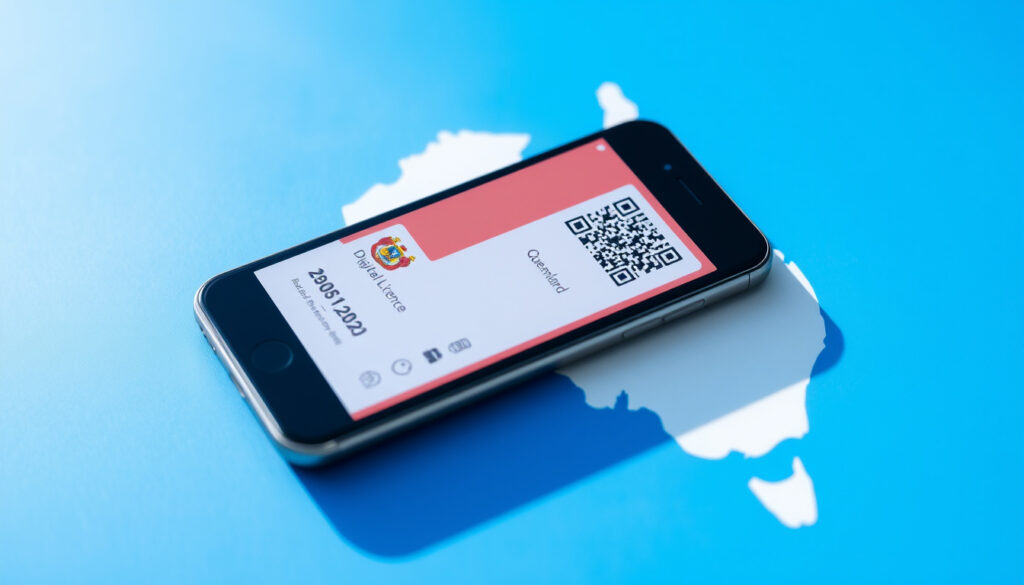
Queensland Digital Licence: How to Get, Use & Setup
If you’ve ever fumbled for your wallet while signing a form at a Queensland Service Centre, or wished your licence was always within reach when a police officer asks, Queensland’s Digital Licence app has quietly solved that problem for over 1.25 million residents. The government-backed app turns your physical driver licence into a secure digital credential you carry everywhere — no more photos of documents on your camera roll. Here’s how to get it set up and whether it’s actually worth the switch.
Users: over 1.25 million Queenslanders · Provider: Queensland Government · Platforms: iOS and Android · Status: Optional · Legal equivalence: Equivalent to physical licence
Quick snapshot
- App is optional; physical cards still issued (Queensland Government)
- Legally equivalent to physical under QLD law (TMR QLD)
- Adopted by 1.25 million Queenslanders as of 2026 (Mirage News)
- Exact original launch date of the app
- Full list of credentials planned for 2026 rollout
- Interstate or international compatibility details
- Taxi, rideshare, and bus driver accreditations added 2026 (Mirage News)
- QBCC integration for 105,000 tradies active (Mirage News)
- More credentials promised throughout 2026 (Mirage News)
- Additional credentials being added throughout 2026
- Expanded industry coverage beyond transport and construction
| Label | Value |
|---|---|
| App name | Queensland Digital Licence |
| Developer | Department of Transport and Main Roads |
| Availability | iOS and Android |
| Mandatory? | No, optional |
| Supported | Driver licence, photo ID, marine licence, industry accreditations |
| Document expiry limit | 2 years past expiry |
| PIN requirement | 6-digit PIN + optional biometrics |
| Credential add time | Up to 5 minutes |
Does QLD have a Digital Licence?
Yes — Queensland has offered a Digital Licence app since its launch, and the platform has grown substantially since then. The Queensland Government officially released the app as a secure digital wallet for state-issued licences and credentials, with adoption surpassing 1.25 million users as of 2026.
Availability and overview
The app — officially called the Queensland Digital Licence — functions as a mobile repository for your government-issued credentials. You can store your driver licence, photo ID card, recreational marine licence, and various industry accreditations in one place. The Department of Transport and Main Roads (TMR) developed and maintains the platform, making it a tier-1 government service.
Over 1.25 million Queenslanders have already moved at least one credential into the app, according to Mirage News reporting on the platform’s adoption metrics. That scale signals real-world acceptance, not just pilot-program enthusiasm.
Unlike some digital ID schemes in other states, the Queensland app is optional. Physical card licences continue to be issued and remain valid. You can carry both, use the digital version when convenient, and fall back to plastic when needed.
How do I get a Queensland Digital Licence?
Getting the app set up takes roughly 15 minutes if you have your documents ready. The process involves downloading the app, creating a Queensland Digital Identity (QDI), and verifying your credentials through an identity check.
Download the app
Download the Queensland Digital Licence app from the Apple App Store for iOS devices or the Google Play Store for Android devices. Both versions are free. Your device must be running the latest iOS or Android operating system, or one of the two previous versions — beta operating systems are not supported. You also need screen lock security enabled (PIN, Face ID, or fingerprint) before proceeding.
Eligibility requirements
You need a Queensland-issued driver licence, photo ID card, or recreational marine licence to onboard. All documents must be current, or expired, suspended, or cancelled less than two years ago — if they lapsed longer than that, you’re not eligible until you renew. One additional identity document is required: an Australian passport, birth certificate, or citizenship certificate, for example.
If the name on your documents doesn’t match exactly, you’ll need a marriage certificate or name change certificate to proceed. This catches people who’ve updated only some documents but not others.
Learner, provisional, and open driver licences are all eligible. There’s no restriction based on licence class for the digital version.
Verification process
New users select “Sign-up”; returning users with an existing Queensland Digital Identity choose “Login.” During setup, you create a six-digit PIN and can optionally enable biometric access for faster unlocking. Once your identity is verified against government records, your credentials download to the app home screen. This verification step may take up to five minutes, according to the Queensland Government setup guide.
After your QDI is established, adding credentials is straightforward: tap the Wallet icon, select “Add +,” choose your credential, and follow the on-screen instructions. QBCC licence holders need only select once and all their held licences appear automatically.
What licences can be digital in QLD?
The app supports a broader range of credentials than most people expect. The core document types cover everyday Queenslanders, while industry-specific accreditations serve professional users.
Supported document types
| Credential type | Status |
|---|---|
| Driver licence (all classes) | Fully supported, auto-added after onboarding |
| Photo ID / Adult proof of age card | Fully supported, auto-added after onboarding |
| Recreational marine licence | Fully supported, auto-added after onboarding |
| Taxi, rideshare, limousine, bus driver accreditations | Added 2026 — approximately 56,000 drivers eligible |
| Driver/rider trainer accreditations | Fully supported |
| Tow truck driver and assistant | Fully supported |
| Pilot/escort vehicle driver | Fully supported |
| QBCC licences (9 types) | Fully supported — over 105,000 tradies eligible |
The Transport and Main Roads department’s announcement on Mirage News confirmed that taxi, rideshare, limousine, and bus driver credentials joined the app in a 2026 expansion, making roughly 56,000 additional transport workers eligible. The QBCC integration, which covers nine licence types for builders, plumbers, and other tradies, is active for over 105,000 licence holders.
The Digital Licence is legally equivalent to its physical counterpart under Queensland law, confirmed by TMR’s official communications. This means law enforcement, venue operators, and service providers must accept it in place of the plastic card in most contexts.
Is the QLD Digital Licence compulsory?
No. The app is entirely optional — Queenslanders are not required to download or use it. Physical licences continue to be issued in their current form and remain valid legal identification. You can carry both, use the digital version when it suits you, and revert to the physical card whenever you prefer.
Optional nature
The government has stated clearly that the digital version supplements rather than replaces the physical licence. There’s no timeline for phasing out plastic cards, and the app does not affect your licence renewal process — you can obtain the digital version before or after renewing.
For most users, the decision comes down to convenience versus habit. If you already carry your phone everywhere and appreciate having credentials instantly accessible, the digital version simplifies day-to-day life. If you prefer keeping identification separate from your phone — for privacy, battery concerns, or simply because the card fits better in your wallet — the physical licence remains a fully valid option.
What is the downside to digital ID?
Every digital solution introduces constraints its physical counterpart doesn’t have. Before switching fully, it’s worth knowing where the app falls short — or where it simply doesn’t fit certain situations.
Potential drawbacks
- Device dependency: Your phone must be charged and functional. A dead battery or a cracked screen at the wrong moment means you have no ID — unlike a physical card in your wallet.
- No backup transfer: If you get a new phone, you can’t restore your credentials from a device backup. You must download the app on your new device and log in with your QDI — your credentials appear automatically, but the process requires deliberate action.
- Name mismatches require documentation: If your documents don’t align on name and spelling, you need supporting certificates (marriage, name change) before onboarding. This trips up people who’ve legally changed names but updated only some IDs.
- QDI strengthening requirements: If your QDI is set up using only email and password, or with only one identity document, or without a Queensland licence, you’ll need to add more verification before certain credentials become available.
Security and privacy concerns
The app’s verification system is government-operated, which means your identity data connects to official records. Privacy advocates sometimes raise concerns about digital ID proliferation — the TMR’s official materials state that credentials are stored securely, but detailed privacy impact assessments aren’t prominently linked in the app store listings.
A separate Verifier app exists for businesses and authorities who need to scan QR codes and confirm identities. This two-app structure (one for holders, one for verifiers) is intentional — it separates credential presentation from credential checking, a design choice the government describes as a security measure.
Device dependency is real: leaving the house without your charged phone means leaving your licence behind. For most users this is an acceptable trade for the convenience of always having your ID on you — but it’s not zero-cost.
Upsides
- Always accessible on your phone — no wallet check required
- Legally equivalent to physical licence under Queensland law
- Supports multiple credential types including industry accreditations
- QR code verification works with official Verifier app
- Credentials restore automatically when logging in on a new device
- No effect on licence renewal schedule or process
Downsides
- Phone must be charged and functional to use
- No backup restore — requires fresh login on new devices
- Name mismatches need supporting certificates
- App not supported on beta operating systems
- Available only for Queensland-issued documents
- Device loss or theft could create access issues without backup
Related reading: Central Coast Council Login Guide · Woolworths Deception Bay Guide
qld.gov.au, qld.gov.au, apps.apple.com, opengovasia.com, play.google.com, qbcc.qld.gov.au, queensland-digital-licence.en.uptodown.com
Frequently asked questions
How do I login to Queensland digital licence?
Open the app, select “Login,” and enter your Queensland Digital Identity (QDI) credentials. If you don’t have a QDI yet, choose “Sign-up” to create one. Your credentials appear on the home screen after successful login.
How to download Queensland Digital Licence app?
Search for “Queensland Digital Licence” in the Apple App Store (iOS) or Google Play Store (Android) and download for free. Ensure your device is running a supported operating system version and has screen lock security enabled before opening the app.
What is Queensland digital licence test?
There is no formal test required to use the app. The “verification process” during setup checks your identity documents against government records — this is an automated check, not an exam or knowledge test.
How to set up and manage your Digital ID?
After downloading the app and creating or logging into your QDI, you verify your identity by scanning your physical licence and providing a secondary document. Set a six-digit PIN, optionally add biometric access, and your credentials download to the home screen. To add more credentials later, tap the Wallet icon and select “Add +.”
Is Digital Licence app for young Queenslanders?
Yes — learner, provisional, and open driver licence holders of any age can use the app. The official TMR page specifically addresses young Queenslanders as a key user group. TMR’s Digital Licence materials confirm the app is designed to work across all licence classes.
Queensland Digital ID login issues?
If you’re having trouble logging in, ensure you’re using the correct QDI credentials. Support for the app is available at 13 23 80; for QDI-specific issues, call 1800 000 658 within Australia or +61 7 3022 6100 internationally.
Queensland Digital Identity sign up steps?
Select “Sign-up” in the app, choose your primary Queensland-issued document, add a secondary identity document, verify your name matches across all documents, set a six-digit PIN, optionally enable biometrics, and wait up to five minutes for verification to complete. Your credentials then appear on the home screen.
What the officials say
“Queensland’s first Digital Licence is here, so now you can securely and safely store your driver licence or photo ID on your phone. Legally equivalent to the physical licence under Queensland law.”
— Transport and Main Roads Queensland (government department)
“The inclusion of taxi, rideshare, limousine and bus driver credentials in the Queensland Digital Licence app demonstrated the Crisafulli Government’s commitment to delivering modern, user-friendly services for Queenslanders.”
— Steve Minnikin, Minister for Customer Services and Open Data
“This latest addition builds on the successful integration of driver trainer and motorcycle rider trainer, tow truck driver and pilot and escort vehicle driver accreditations into the Digital Licence app.”
— Mirage News reporting on Queensland Government public release
The Digital Licence app solves a real friction point — having to produce physical ID when your phone is already in your hand. For Queenslanders who carry a government-issued driver licence or photo ID, the app offers a legally equivalent, government-backed alternative that works in most verification situations. The expanding credential list (taxi licences, QBCC licences, transport accreditations) signals the government is treating this as infrastructure, not a novelty feature.
The main risk is device dependency: a dead battery or broken screen means no ID at hand. But for most users, carrying both the physical card “just in case” alongside the digital version is a reasonable compromise — and one the government explicitly allows. Over 1.25 million Queenslanders have already made that choice, and the credential roster keeps growing.
For tradies holding QBCC licences, the integration handles nine licence types automatically once you add a Queensland driver licence first. For the 56,000 transport workers added in the 2026 expansion, the app eliminates the need to carry additional accreditation cards on top of a driver licence. More credential types are slated to join throughout 2026, which suggests the platform will continue expanding its scope beyond basic driver ID.
More related posts
 Angel Reese: Relationship, Caitlin Clark Rivalry, Stats & Bio
 Martin Short: Tragedy, Friendship, and Resilience – Biography
 Rose Namajunas: Ethnicity, Hair, and UFC Record
 Odessa Zion: Biography, Age, Relationships, and More
 Khloé Kardashian: Health, Kids, Relationships & Career Facts
 Cast of Dawson’s Creek – Full Actors List and Careers
 Israel Adesanya Record, Stats and Upcoming UFC Fight
 NBA Suspends Amen Thompson After Miami Heat Altercation